Projects
Pomoducktive
2026 · CV · Web
Description#
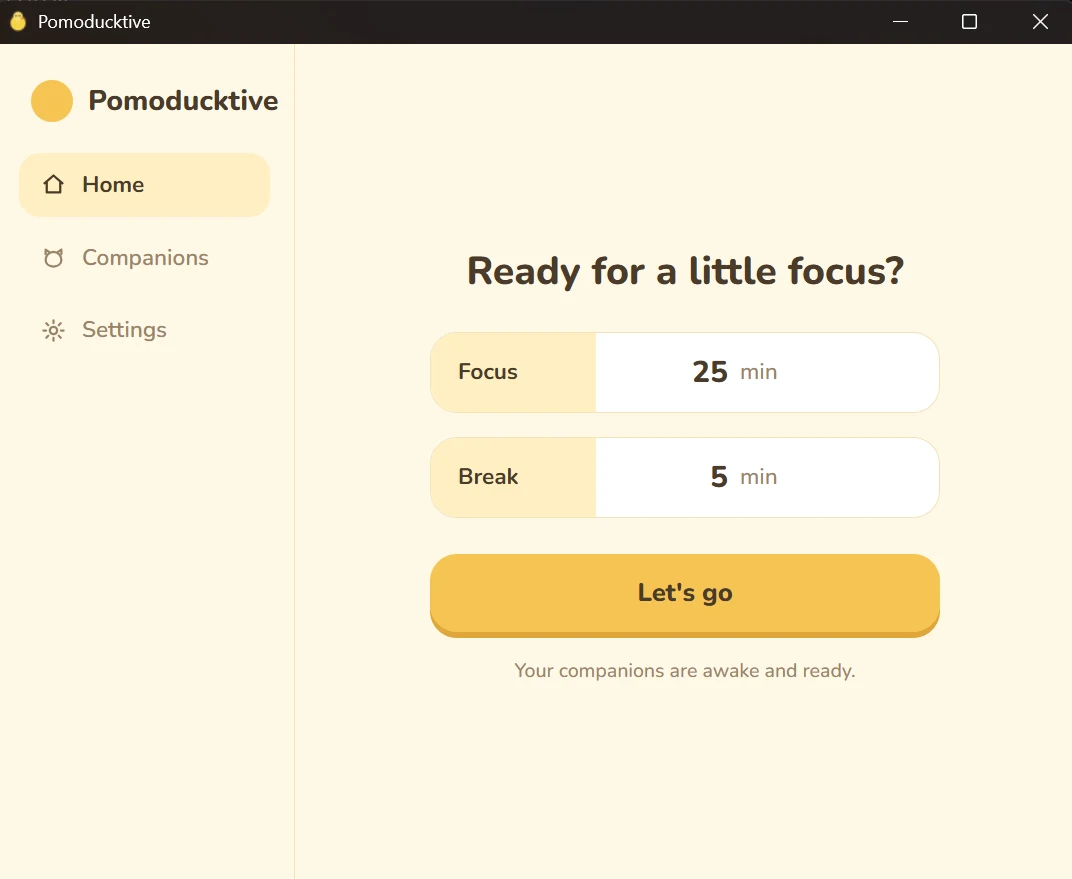
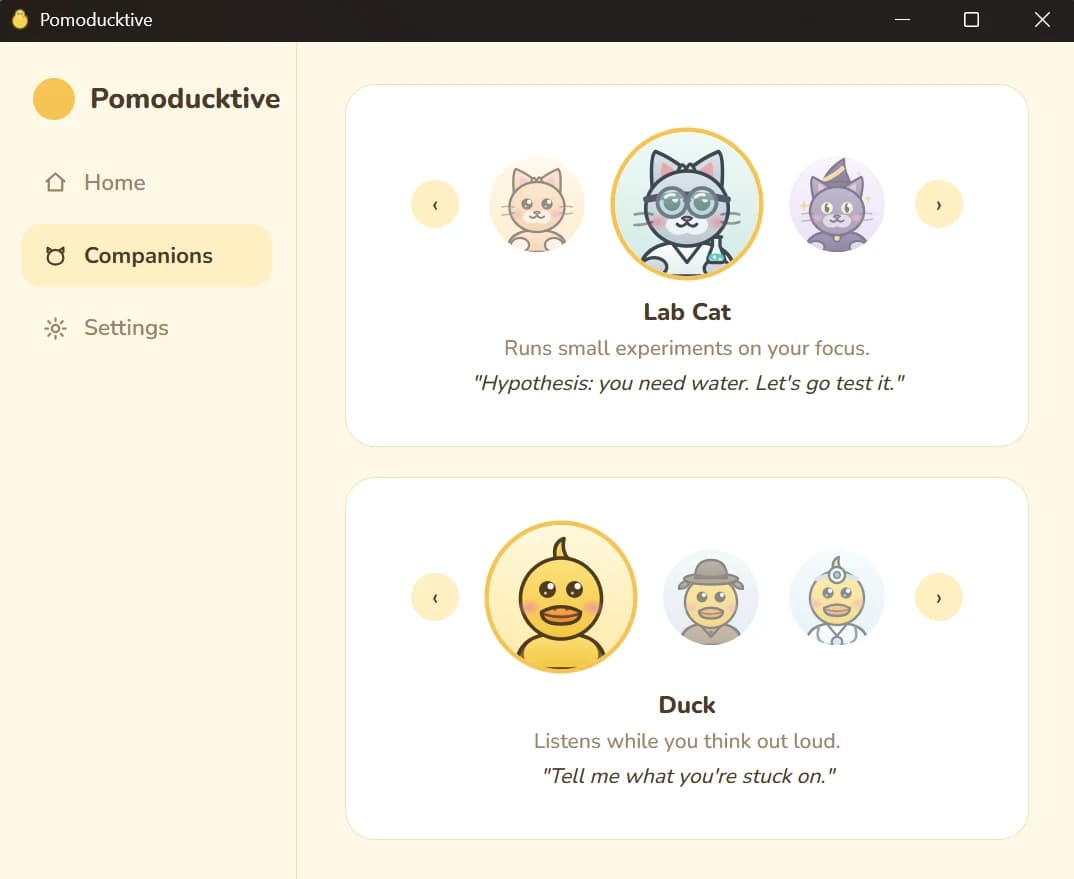
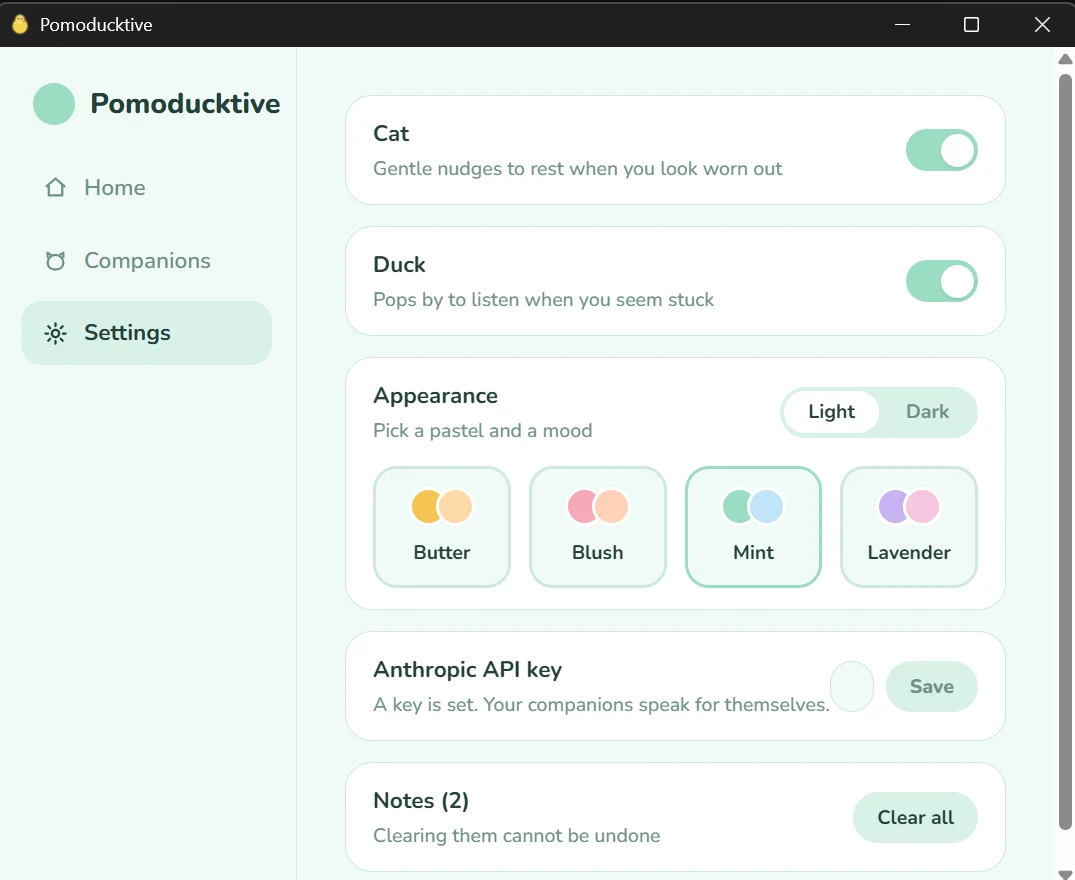
Pomoducktive is a Pomodoro timer with two desktop companions. You choose length of time to work/rest. The cat provides a line of encouragement and offers to start the break. The duck offers a persistent sticky note for you to write notes in. Both companions can be turned off, have cosmetic costumes, and speak through Claude when you supply an API key. Without one, and whenever a request fails, they draw from a pool of written lines instead. Every window can be set to one of four pastel palettes in light or dark.
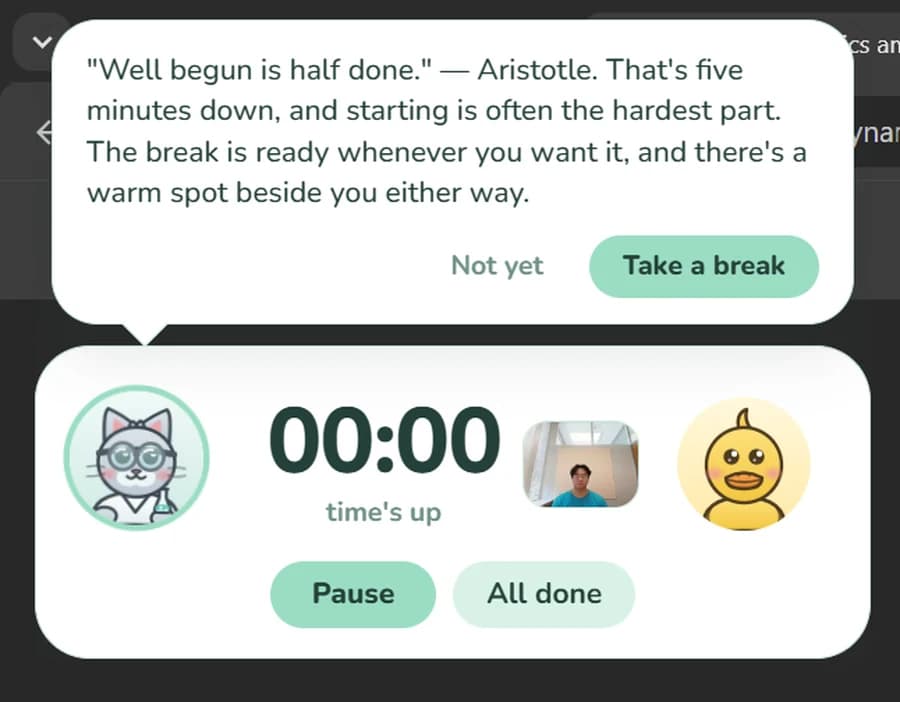
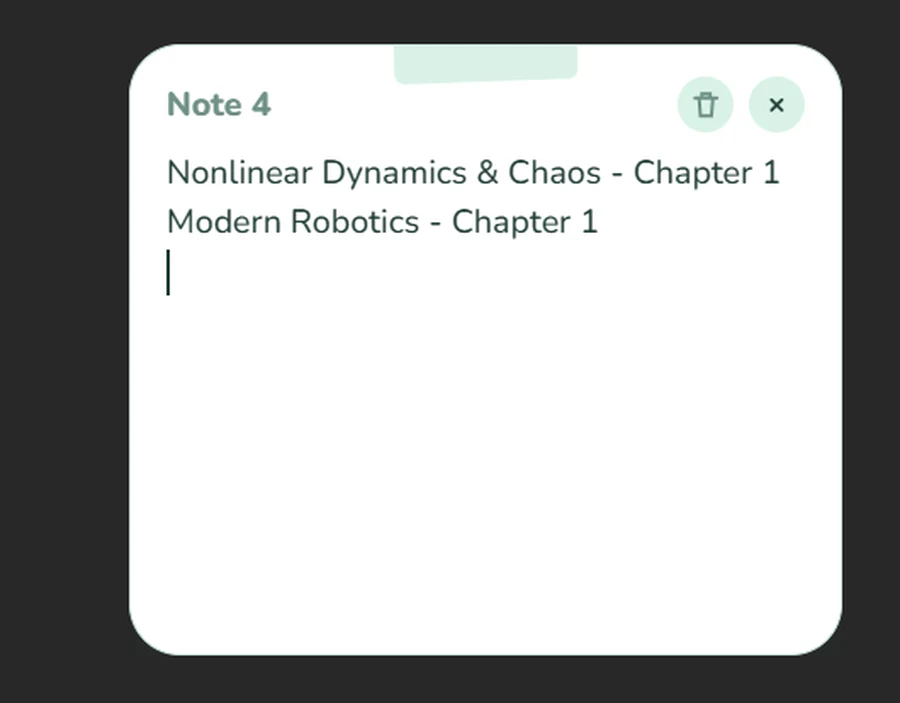
While a session is running, the webcam is read ten times a second and reduced, entirely on your own machine, to two measures: how negative your expression reads, and how much of the last minute your eyes were closed. No image is saved or sent anywhere. Prolonged eye closure has the cat offer a break early, and a sustained negative expression has the duck suggest writing the problem out, with a limit of one interruption every twenty minutes. Because a face at rest scores differently from one person to the next, the opening minutes of each session measure your own resting level and everything afterwards is judged against that.
Architecture#
flowchart LR
  cam[Webcam] --> vision[Face and expression model]
  vision --> agg[Aggregator] --> trig{Triggers}
  trig --> llm[Claude] --> ui[Overlay]
  ui --> notes[(Notes)]
Pomoducktive runs as two processes: a Python backend that performs the sensing and holds the session state, and a Tauri desktop application that draws every window from one React bundle. They communicate over a local HTTP API and a WebSocket, authenticated by a token the Rust shell generates at launch and hands to the backend it spawns.
Each frame passes through MediaPipe for the face geometry and an HSEmotion classifier served by ONNX Runtime on the DirectML provider, which runs inference on the GPU at roughly a quarter of its CPU cost. Expression thresholds are calibrated per session rather than fixed in advance, since a face at rest scores differently from one person to the next.
Stack: Python 3.12, FastAPI, uvicorn, SQLite, MediaPipe, ONNX Runtime (DirectML), OpenCV and the Anthropic SDK, tested with pytest and ruff under uv. Rust and Tauri v2. TypeScript, React 18, Vite, Tailwind and zustand under pnpm. Packaged with PyInstaller into an NSIS installer.
Set up#
Requires Windows 11 x64 with a Direct3D 12 GPU, a webcam, Python 3.12 with uv, Node 20+ with pnpm, Rust (rustup default stable), and a key from console.anthropic.com. Under Windows Settings > Privacy and security > Camera, enable "Let desktop apps access your camera".
git clone https://github.com/jeffreyjiawendeng/Pomoductive.git
cd Pomoductive

cd backend
uv sync
uv run python scripts/fetch_vision_models.py   # downloads the vision models, 33 MB
cd ../frontend
pnpm install
The key is read from the environment first, which keeps it out of config.toml; otherwise it is taken from the Settings tab. It is write-only across the local API, accepted by PUT /config and never returned by GET /config. Settings, notes and logs are written to %APPDATA%\Pomoducktive, which sits outside both the repository and the install directory, so no key or personal data is ever committed and deleting that one folder removes all of it.
$env:ANTHROPIC_API_KEY = "sk-ant-..."
dev.ps1 generates the shared token, starts uvicorn in the background, and runs pnpm tauri dev in the foreground; closing the foreground process stops both. build.ps1 writes the installer to frontend/src-tauri/target/release/bundle/nsis/. The test suite requires neither network nor camera.
cd ..
.\dev.ps1

cd backend
uv run pytest
uv run ruff check .